Lead Progression
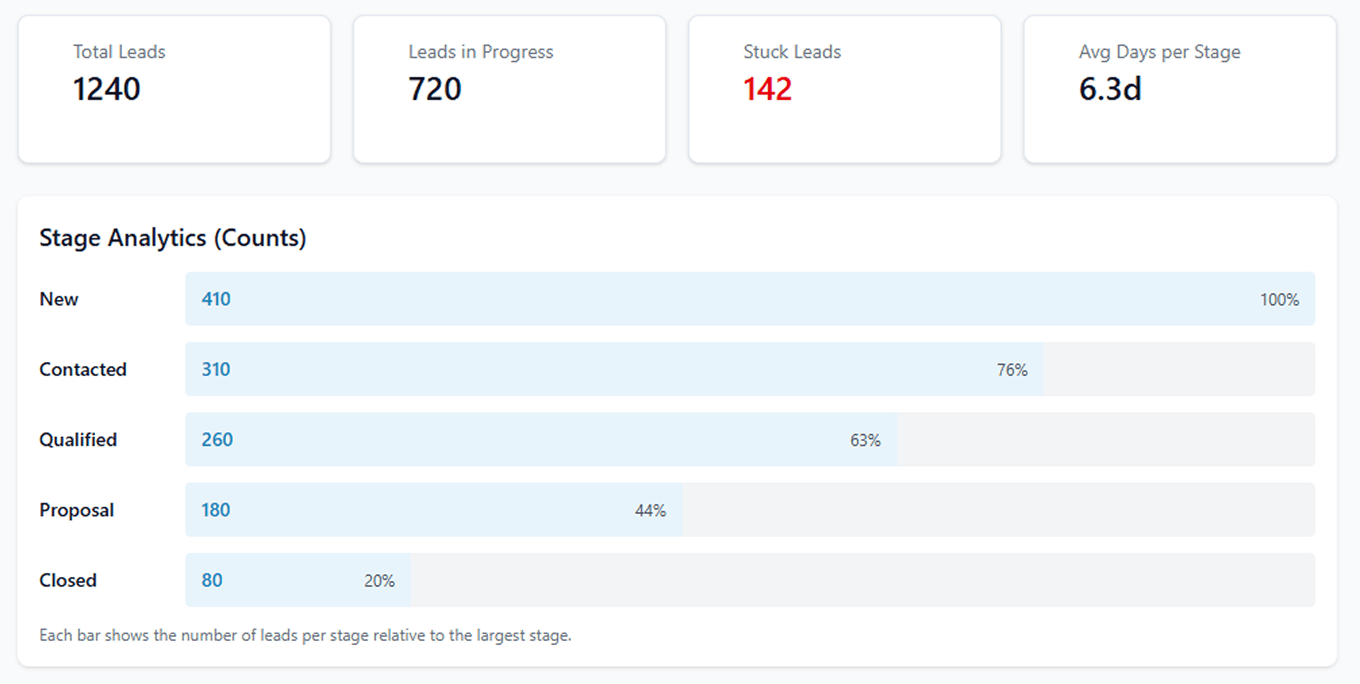
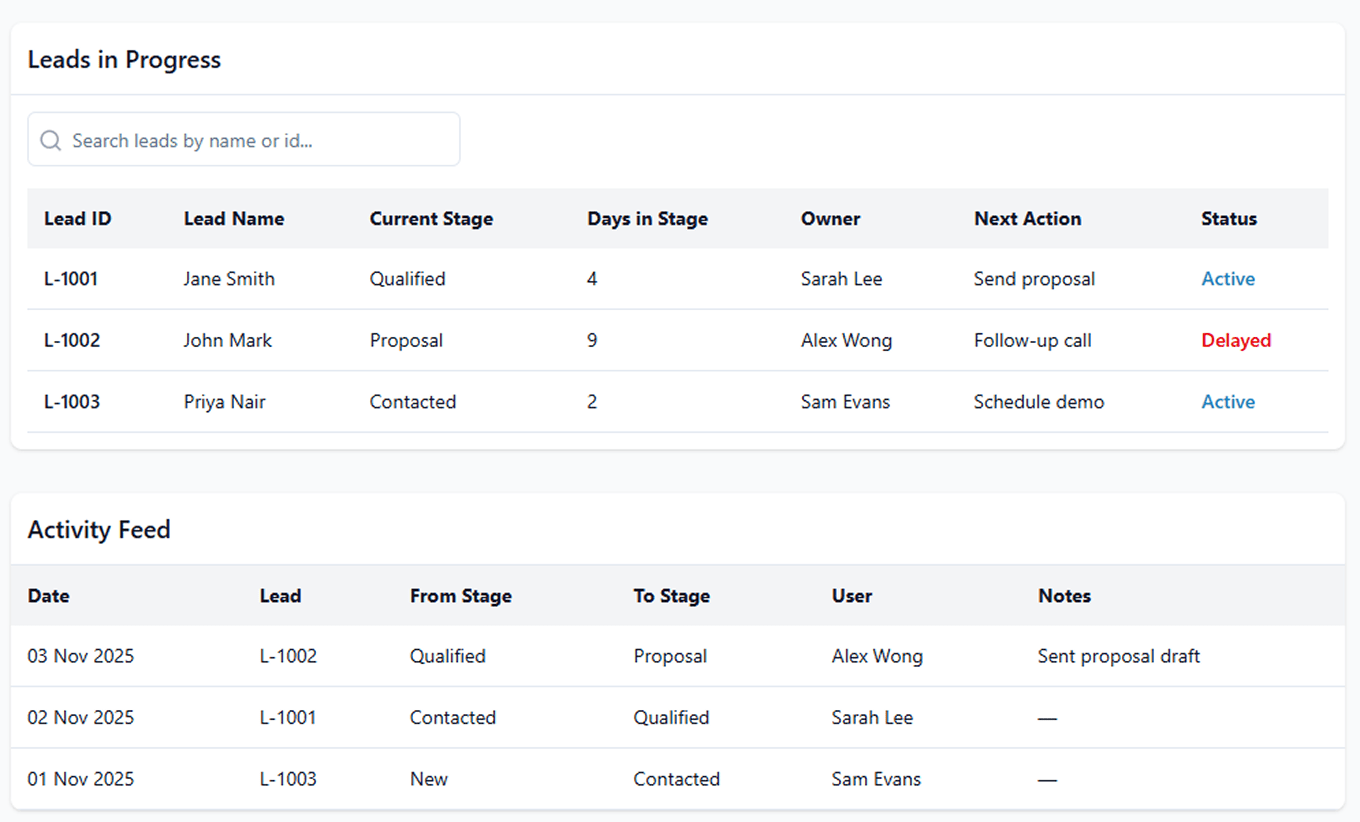
Lead Progression visually tracks how each lead moves from stage to stage, with real- time status updates, timestamps, and activity history.
At any moment, users can see a lead’s current stage, how long it has been there, and what actions have been taken without switching tabs or relying on manual notes.

Stage-by-Stage Lead Tracking
Track each lead’s journey from first interaction through qualification and decision-making. See current stage, time spent, and recent activity - all in one view.

Goal-Based Progress Mapping
Define progression goals for each stage and monitor whether leads are advancing as expected. Identify stalled leads early and take action before momentum is lost.

Shared Visibility Across Teams
Lead progression status is visible to all authorized users. Sales, marketing, and management teams can see the same stage, activity history, and next actions, reducing misalignment and duplicate follow-ups.

Progression Reporting & Funnel Trends
View reports that show stage movement, average time spent per stage, and progression trends across the funnel. These insights help teams refine follow-ups and improve stage-to-stage conversion.